Guides › Template
RAID log template
A RAID log only helps if it is current and owned. Use these columns and weekly habits to keep risks, actions, issues and decisions in one place your sponsor can trust.
Columns for every entry
- ID, type (Risk, Action, Issue or Decision) and a one-line title.
- Owner: one named person, never a team.
- Date raised, due date and date closed.
- RAG status and a short, dated latest update.
- Link to the plan task or cost line it affects.
Extra columns for risks
- Likelihood and impact (1–5), and the score they multiply to.
- Mitigation, with its own owner and date.
- Trigger: what will tell you the risk has become an issue.
Extra columns for decisions
- Who decided, when, and the options considered.
- What changes in the plan, budget or scope as a result.
Weekly habits that keep it honest
- Review every open item with its owner, and close or update it.
- Promote risks that have happened to issues the same day.
- Escalate anything past its due date twice.
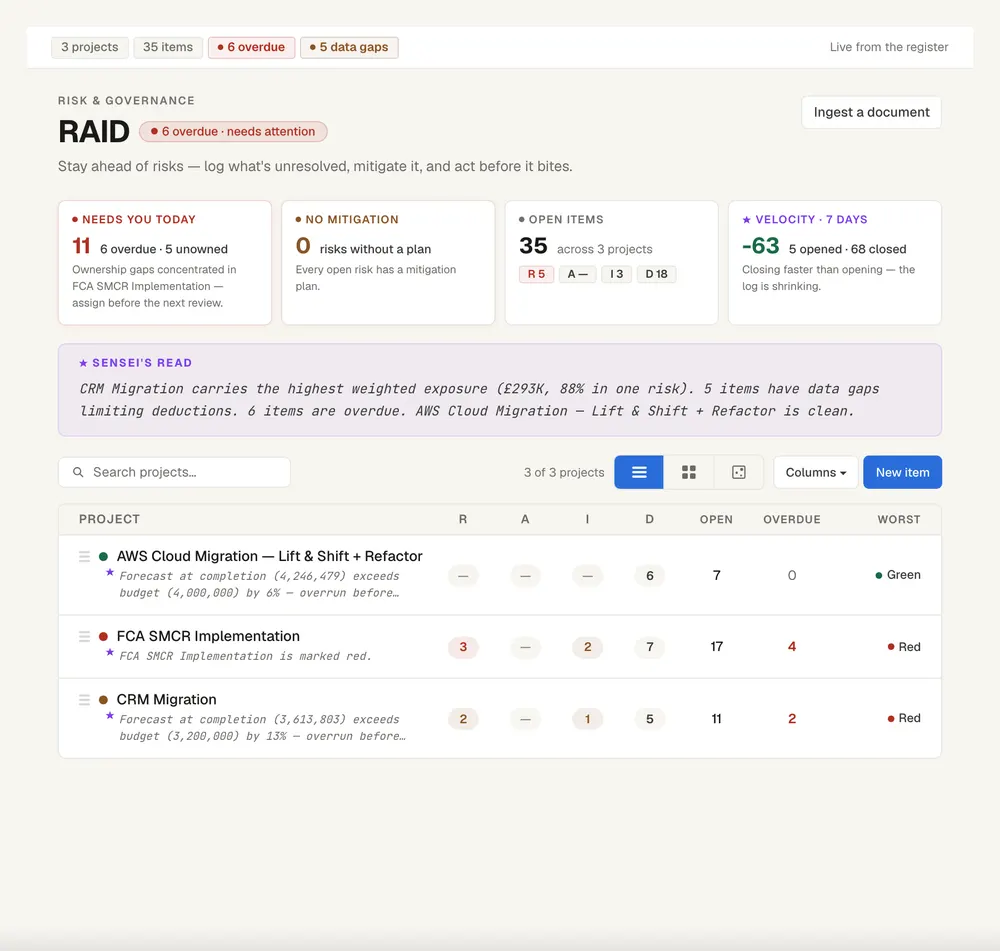
Keep this live, not in a spreadsheet
Senshin keeps your plan, RAID, budget and reports in one place, so this template stays current without a weekly copy-and-paste. A 14-day trial, with sample projects.
Start your 14-day trialFrequently asked questions
What does RAID stand for?
RAID stands for Risks, Actions, Issues and Decisions. Some teams use Assumptions and Dependencies instead of Actions and Decisions.
What is the difference between a risk and an issue?
A risk is something that might happen. An issue is something that has happened and is affecting the project now.
How often should a RAID log be updated?
At least weekly, before your status report, so that the report and the log tell the same story.