Home › Leaving Project Online
Project Online has left the building. Your SteerCo hasn't.
Microsoft retired Project Online on 30 September 2026. Its own routes onward are Planner, Project Server Subscription Edition and Dynamics 365 Project Operations. If you saved your plan as an .mpp or as Project XML, Senshin reads it, checks it, and drafts the weekly report and the SteerCo pack from it. It does not replace enterprise resource pools or timesheets.
Microsoft switched it off. Your sponsor still expects a RAG on Thursday and a pack that survives questions about the critical path. Bring the plan file you kept.
Senshin does not run your schedule. It reads the one you already have.
| Option | Good for | What to know |
|---|---|---|
| Planner, premium plans (Microsoft) | Teams already working in Microsoft 365 | Microsoft lists portfolios, baselines, dependencies and Gantt charts in the premium plans. |
| Project Server Subscription Edition (Microsoft) | The closest match to Project Online's feature set | Runs on your own SharePoint Server, so somebody has to run the servers. |
| Dynamics 365 Project Operations (Microsoft) | Timesheets, resource scheduling and project finance | Built for firms that sell project work as a service. |
| Project desktop (Microsoft) | Building and scheduling the plan itself | Not affected by the retirement. |
| Senshin (this page is ours) | The project manager or PMO who carries the reporting | Reads the plan file you saved. Does not schedule, run timesheets or hold resource pools. |
Microsoft rows: Microsoft's own retirement notice on Tech Community, read on 29 October 2026. We are the vendor of the last row, so read it with that in mind.
The server went. The plan, the RAID log and the sponsor's expectations stayed.
What 30 September removed
- The publish step to a shared server
- The reporting feed your PMO pulled from
- The roll-up somebody else used to build for you
What it left on your desk
- The .mpp you saved from Project desktop
- A RAID log in a spreadsheet, last touched in September
- A SteerCo on Thursday
If you never saved a local copy, we can't conjure one. Nobody can: Microsoft says projects and data in the service are no longer accessible. If you did save one, read on.
Drop in the .mpp. See what Senshin understood before it saves a thing.
Senshin reads Microsoft Project files (.mpp, .mpt, .mpx) and Project XML (File, Save As, XML). A plan file is read by fixed rules, not guesswork, so the same file always gives the same answer. Anything Senshin is unsure of is marked “check this”, and nothing is saved until you say so.
| From your plan | In Senshin |
|---|---|
| Summary tasks, milestones, work breakdown structure and outline levels | Kept as your structure |
| Links: finish-to-start, start-to-start, finish-to-finish and start-to-finish, with lag | Rebuilt as links, then checked |
| Baseline start and finish | Kept, so variance is real |
| Actual start and finish, percent complete | Kept |
| Critical flag and total float | Kept, used in the checks |
| Resources, assignments and resource cost | People and finance lines, with the source task named |
| Working calendar | Used when dates are checked |
Proved on files saved by Microsoft Project 2007, 2010 and 2019. Project 2016, 2021 and Project for Microsoft 365 save the same file format as 2019. Import is one way: Senshin never writes back to Project. More on the file itself: Senshin for Microsoft Project.
Before you accept it, it gets cross-examined.
On the way in, the plan gets a health check and the schedule quality check the big programmes use. Each finding points at the task in your file. You decide what to fix. Senshin does not edit your plan behind your back.
- Open ends, and tasks nobody is doing
- Too much float
- Links with built-in gaps or overlaps
- Finishes on weekends and bank holidays
Once you are live it keeps an eye out: a task sitting at 90% for three updates is the sort of thing it flags.
Then the reporting you actually dread.
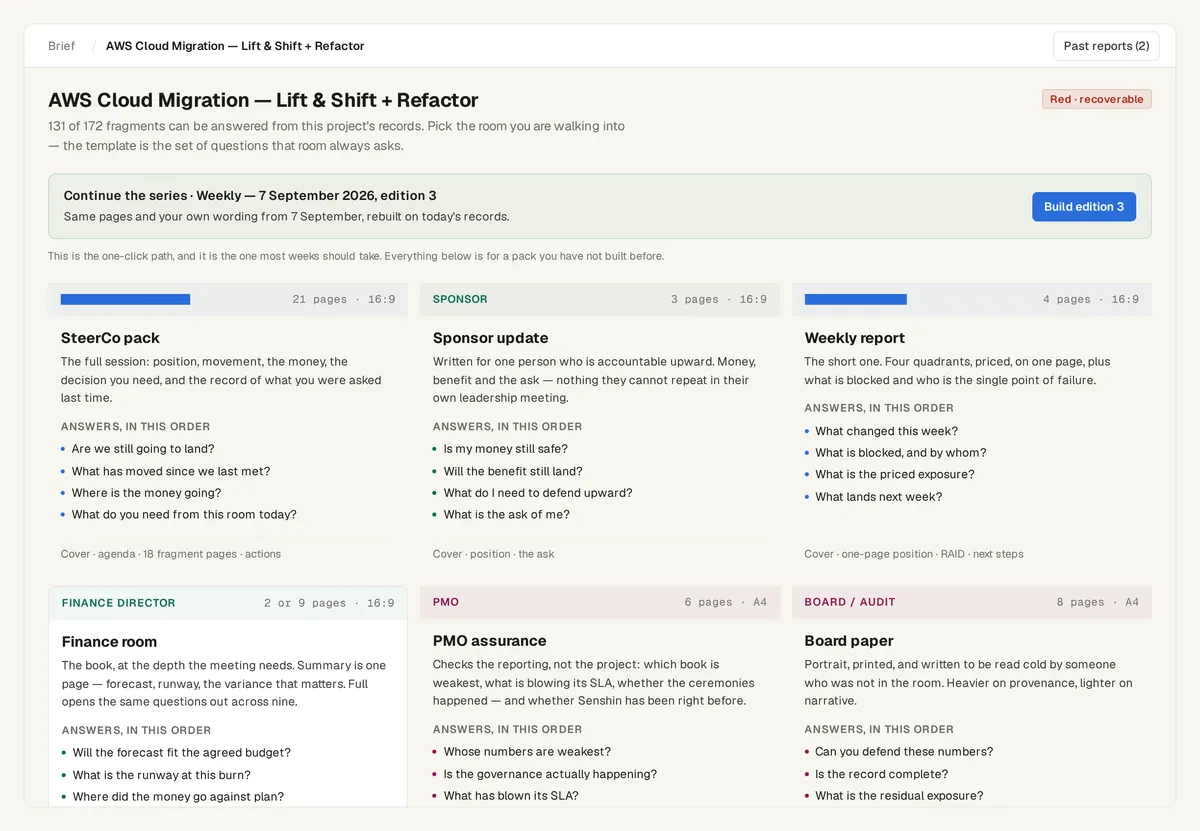
Accept what Senshin understood and it drafts a weekly report and a SteerCo pack from your plan, RAID log, finance lines and people. You rewrite the words. The numbers trace back to the task, the sheet and the cell they came from.
- RAID, with owners. Risks, assumptions, issues and decisions sit against the plan, not in a tab nobody opens.
- Finance beside the schedule. The cost line and the date line cannot disagree quietly.
- RACI that differs by room. Who hears what in the team room is not who hears what at SteerCo.
Change a figure in the record and the pack follows. That is the whole trick, and it is less glamorous than it sounds.
What we do not do, so you do not find out in week three.
- No enterprise resource pool or enterprise custom fields.
- No timesheet approval workflow across a PMO.
- No data feed for Power BI. Dashboards that sat on Project Online's feed need a new source.
- No scheduling engine. Keep building the plan in Project desktop, or wherever you build it.
- No write-back to .mpp, and no live link to anything Microsoft has switched off.
If you run a PMO of forty with a resource pool and timesheets, Microsoft's own list is the right shortlist. If you are the one project manager who has to explain the plan to a sponsor, this is the part that does that.
Your client's estate. Your subscription. Your call.
Plenty of people reading this are contractors on a client's Microsoft estate who now carry the reporting alone. One login can carry every organisation you serve, and each client's projects stay theirs alone. The client does not need to buy anything.
Look for free. Fourteen days to disagree with us.
Or £499.90 per seat a year (save 17%), excluding tax. Cancel any time.
Free view-only plan, for good: commercial sample projects to click all the way through, nothing you can change.
14-day trial on up to three of your own projects. After it, your work stays, read-only, until you subscribe.
Enterprise is priced per contract: talk to us. See pricing, or open the free view-only plan.
Frequently asked questions
Can I still get my plans out of Project Online?
No. The service retired on 30 September 2026 and Microsoft says projects and data in it are no longer accessible. If you have .mpp files from Project desktop, or an export your administrator took before the date, Senshin can read them.
Which files does it read?
Microsoft Project .mpp, .mpt and .mpx, and Project XML. The same drop also takes Excel risk and issue logs and budget sheets, Word reports, PowerPoint decks and meeting transcripts.
Does it read files from recent versions of Project?
Yes. It is proved on files saved by Project 2007, 2010 and 2019, and Project 2016, 2021 and Microsoft 365 save the same format as 2019.
Does it replace Project desktop?
No. It sits above it. You schedule where you schedule. Senshin turns the plan into the weekly report and the SteerCo pack, and keeps the RAID, finance and people on the same record.
Does it write back to Microsoft Project?
No. Import only.
Does it cover Project Online's portfolio and timesheets?
No. See what we do not do, above. For that, shortlist Microsoft's own options first.
What does the import not bring across?
Anything Senshin cannot map is marked “check this”, and every import ends with a plain-English report of what came in and what is missing.
Is there a free option?
Yes: a free view-only plan with commercial sample projects, for good. To work on your own plan, take the 14-day trial.
What happens after 14 days?
Your work stays, read-only, until you subscribe.
Walk in on Thursday with the pack already built.
You think. Senshin does the heavy lifting. You lead.
Start the 14-day trial