Platform › What-if planning
What if we're late? Find out before the room asks
The questions that matter in a SteerCo are rarely about the past. What if the vendor slips three weeks? Can we buy the date back? What if we lose the lead engineer? Senshin lets you answer them from the project record.
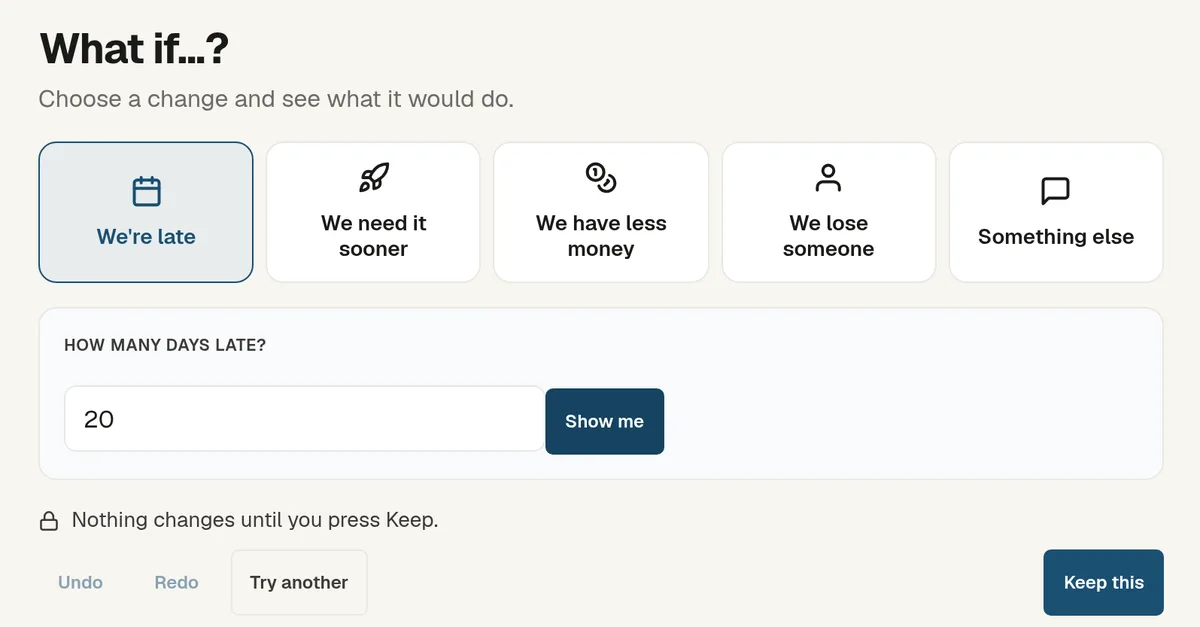
Start from the change, not the model
You pick what has happened: we're late, we need it sooner, we have less money, we lose someone, or something else. Senshin asks one question, such as how many days late, and shows what it would do.
- Undo, redo and try another until you have the option you want
- Nothing changes until you press Keep
- Save a scenario to come back to
Test it on the plan itself
On the Gantt, drag a bar to preview the impact before you commit, or open a full scenario to test the plan without touching it.
On the funded case, the levers are the ones a sponsor recognises: accept the delay, add people to buy the date back, or cut scope. Cost, date and benefits update together.
Use it in the meeting
Because it reads the live record, you can run a what-if in the room rather than promise to come back next week. It shows the trade-off; you and the sponsor make the call.
See it on your own project
Start with the sample projects or import your own plan, RAID log and budget.
Start your 14-day trialOr £499.90 a year. Every plan starts with a 14-day trial; after it, your work stays, read-only, until you subscribe. Cancel any time. Enterprise is priced per contract: talk to us.
Frequently asked questions
Does a simulation change my plan?
No. Scenarios are projections. Your live plan only changes if you press Keep.
What can I simulate?
A delay, a need to finish sooner, a smaller budget, losing a person, or a change you describe yourself.
Is there a Monte Carlo analysis?
Yes, on the advanced simulations screen: schedule and budget runs on the project's own activities and cost lines. The everyday What if screen shows one change at a time, in plain terms.