Guides › Guide
Dependency tracking template
Projects rarely fail because the work was hard. They fail because a thing someone else promised did not arrive, and nobody wrote it down. A dependency log is how you turn 'I thought they had it' into a date with a name beside it.
Know what you are tracking
A dependency is something your project needs from outside its own control, or something another piece of work needs from yours. Separate the two directions, because the conversations are different: you chase inbound dependencies and you commit to outbound ones.
Also separate internal dependencies, between tasks in your own plan, from external ones, such as another project, a supplier, a regulator or a business team. External ones carry the most risk because you cannot reschedule them yourself.
- Inbound: what we need from others.
- Outbound: what others need from us.
- Internal: task to task within the plan.
- External: another project, supplier or department.
The template columns
Copy this table and give each dependency one row. Keep it short enough to read in a meeting and specific enough that nobody can claim the wording was vague.
- ID and a clear description of what is needed.
- Direction (inbound or outbound) and type (internal or external).
- Provider and receiver, each a named person.
- Needed-by date and the plan task or milestone it protects, plus the promised date agreed with the provider.
- Status (not started, in progress, delivered or at risk), RAG and a dated latest update.
- Link to a related risk or issue, if one exists.
Agreeing it with the provider
A dependency you wrote down alone is a hope. Confirm it with the person responsible for delivering it, agree the date together, and record that they accepted it. If they will not commit, that tells you something useful: log a risk straight away.
Ask what they need from you in return. Dependencies are often mutual and the swap is the easiest way to agree a date.
- Get the commitment in writing, even a short message.
- Ask what could make them late.
- Agree how and when they will tell you if it slips.
Chasing without nagging
Set a rhythm proportional to risk. A dependency due in three months needs a monthly check; one due next week needs a conversation today. Review the whole log before each status report so that late items reach the sponsor from you.
- Review dependencies due within two weeks weekly.
- Escalate any that miss their promised date.
- Turn a slipped dependency into a risk or issue the same day.
- Show the affected milestone in the escalation.
Connect it to the plan
The log is most useful when each dependency points at the task it holds up, so you can see whether a slip lands on the critical path. In Senshin the RAID log links items to the plan task they affect, which makes that impact visible instead of something you work out by hand.
- Mark dependency-driven tasks in the plan.
- Check the critical path after any slip.
- Close items when delivery is confirmed, not when it is promised.
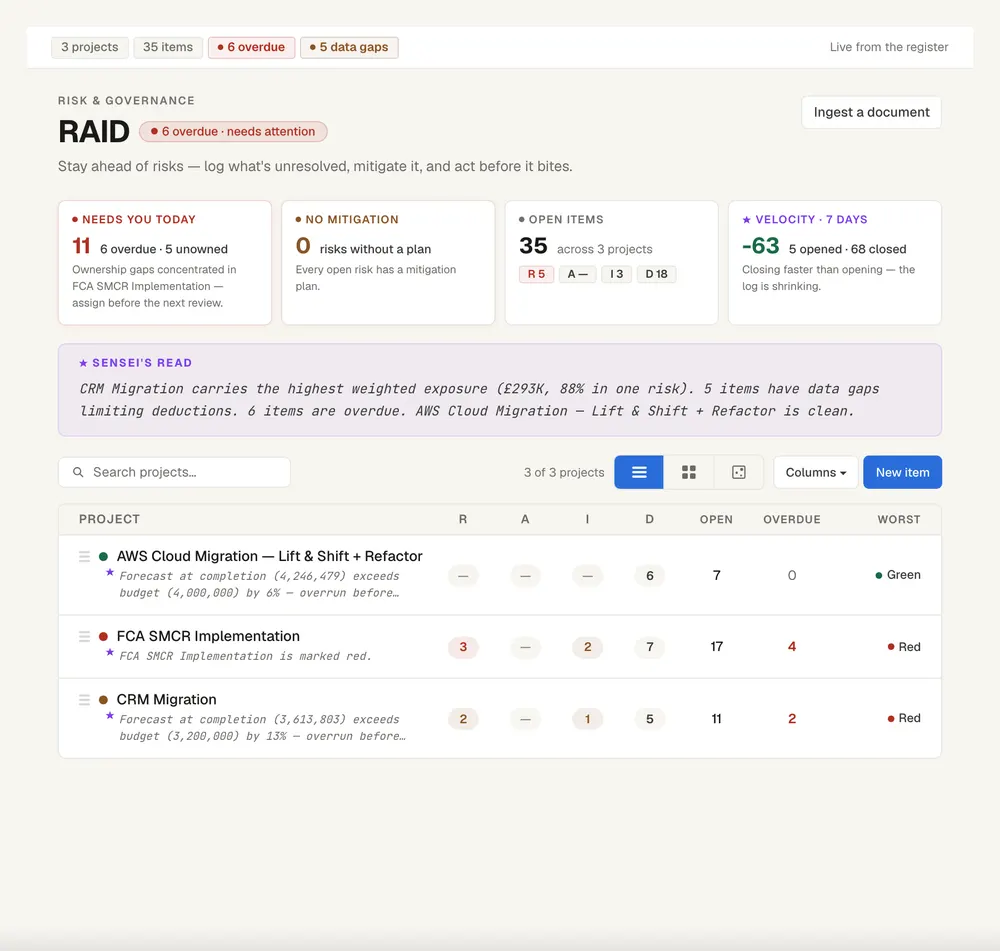
Keep this live, not in a spreadsheet
Senshin keeps your plan, RAID, budget and reports in one place, so this stays current without a weekly copy-and-paste. A 14-day trial, with sample projects.
Start your 14-day trialWhere this lives in Senshin
Or £499.90 a year. Every plan starts with a 14-day trial; after it, your work stays, read-only, until you subscribe. Cancel any time. Prices exclude tax. Enterprise is priced per contract: talk to us.
Frequently asked questions
What is a dependency in project management?
A dependency is a relationship where one task, deliverable or decision relies on another before it can start or finish. It can sit inside the project or depend on someone outside it.
What is the difference between a dependency and a risk?
A dependency is a known need on something else. It becomes a risk when there is a realistic chance the thing will not arrive on time, and an issue when it has been missed.
How do I track project dependencies?
Keep a log with a description, provider, receiver, needed-by date, promised date, status and the plan task affected, and review it weekly alongside your RAID log.
Where do dependencies go in a RAID log?
Many teams use RAID with a D for dependencies, or log them as actions or risks. What matters is that each has a named owner, a date and a link to the work it affects.
More guides
Last updated: