Guides › Guide
Risk register template
A risk register that nobody reads is a spreadsheet of good intentions. Use these columns, a plain scoring scale and a weekly habit, and it becomes the document your sponsor asks for by name.
Columns to copy
Start with these and resist the urge to add more. Every extra column is one more thing to keep current.
- Reference number and a one-line title that names the event, not the worry.
- Description in the form: if this happens, then that results, which affects this.
- Category: schedule, cost, scope, resource, supplier, technical or external.
- Likelihood (1-5), impact (1-5) and score (likelihood multiplied by impact).
- Owner: one named person, never a team.
- Response: avoid, reduce, transfer or accept.
- Mitigation actions, each with its own owner and due date.
- Trigger: the early sign that the risk is turning into an issue.
- Status (open, closed, happened) and date last reviewed.
A scoring scale in plain words
Teams argue about scoring more than the risks themselves. Agree a scale once, write it on the top of the register and stop debating.
Example scale, as an illustration: score 1-4 is low, 5-9 is medium, 10-16 is high and 17-25 is critical. Adjust the bands to your own appetite for risk.
- Likelihood 1: unlikely. 3: could well happen. 5: expected.
- Impact 1: a day or two of slip, or a negligible cost. 3: a milestone moves or the budget is strained. 5: the business case or a deadline is at stake.
- A likelihood of 4 and an impact of 3 scores 12, which sits in the high band.
- Review the bands with your sponsor so their view of high matches yours.
Writing risks people can act on
The commonest failure is a risk written as a topic, such as Resourcing. Say what could happen, what it would cause and what it would cost.
A good risk has a cause, an event and an effect, and it can be mitigated by someone named.
- Weak: Supplier delays.
- Better: If the supplier misses the delivery date of 14 March, testing starts late and go-live slips by up to three weeks.
- Ask what would have to be true for it to happen, and use that as the trigger.
Keeping it alive each week
Review the top risks with their owners before every status report. Close what has passed, promote what has happened to an issue on the same day and add what is new.
- Review every open item with its owner and update the date reviewed.
- Check each mitigation action is actually in the plan.
- Report the top five by score, plus anything that moved.
- Retire risks explicitly, with a note on why.
Where it lives
A register works best when it is linked to the plan. In Senshin the RAID log ties each risk to the task or cost line it affects, so when the plan moves you can see which risks moved with it.
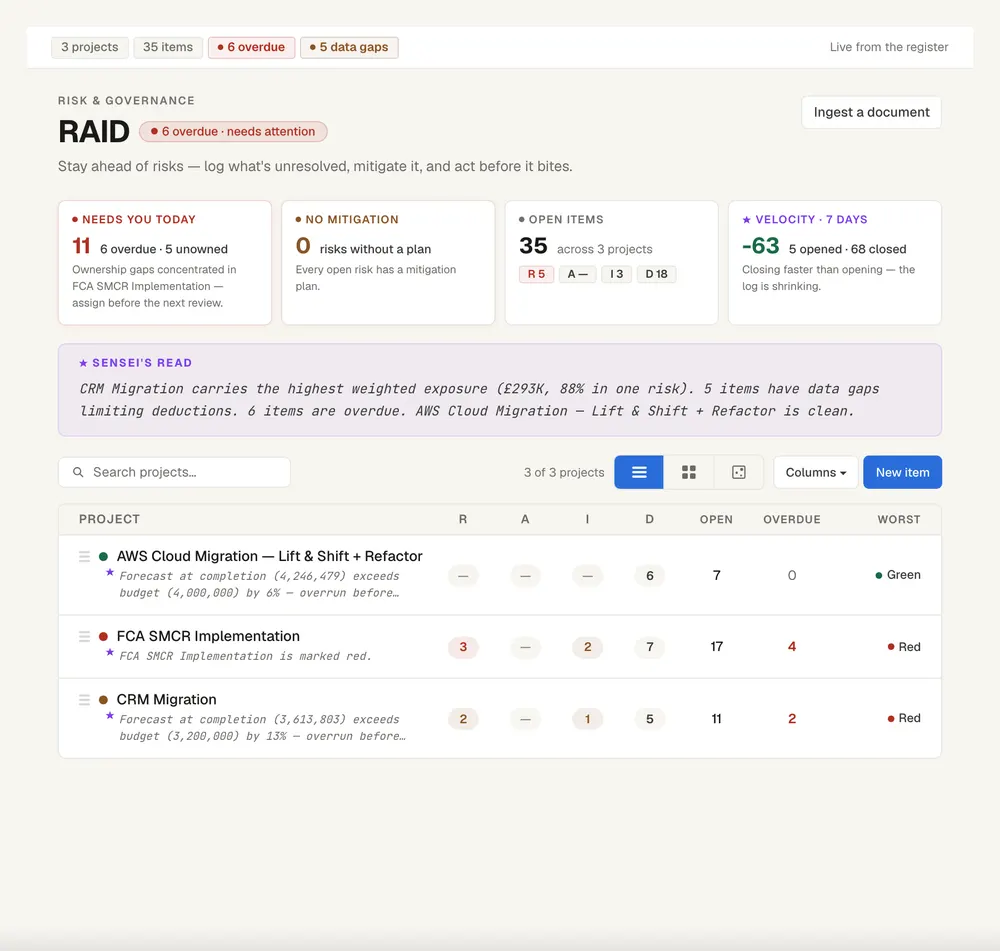
Keep this live, not in a spreadsheet
Senshin keeps your plan, RAID, budget and reports in one place, so this stays current without a weekly copy-and-paste. A 14-day trial, with sample projects.
Start your 14-day trialWhere this lives in Senshin
Or £499.90 a year. Every plan starts with a 14-day trial; after it, your work stays, read-only, until you subscribe. Cancel any time. Prices exclude tax. Enterprise is priced per contract: talk to us.
Frequently asked questions
What is a risk register?
A risk register is a list of the things that might go wrong on a project, with a score for each, an owner and the actions agreed to reduce them. It is reviewed regularly and reported to the steering committee.
What should a risk register include?
A reference, description, category, likelihood, impact, score, owner, response, mitigation actions with dates, a trigger and a status.
What is the difference between a risk register and a RAID log?
A risk register covers risks alone. A RAID log holds risks, actions, issues and decisions together so the full picture is in one place.
How do you score project risks?
Rate likelihood and impact on the same scale, commonly 1 to 5, then multiply. Agree what each number means in your project so everyone scores consistently.
More guides
Last updated: